
AI in practice: what's working, and what's holding us back
2Shakes went to three conferences in three months this year - BookkeepCon, NZQBA and ATAINZ. They were all fantastic, but one speaker stood out. Listening to Kayur Patel from PwC at ATAINZ was mind-blowing! He showed the room what he does with AI, and by the end everyone around me had their phones or laptops out and were asking each other where to click.
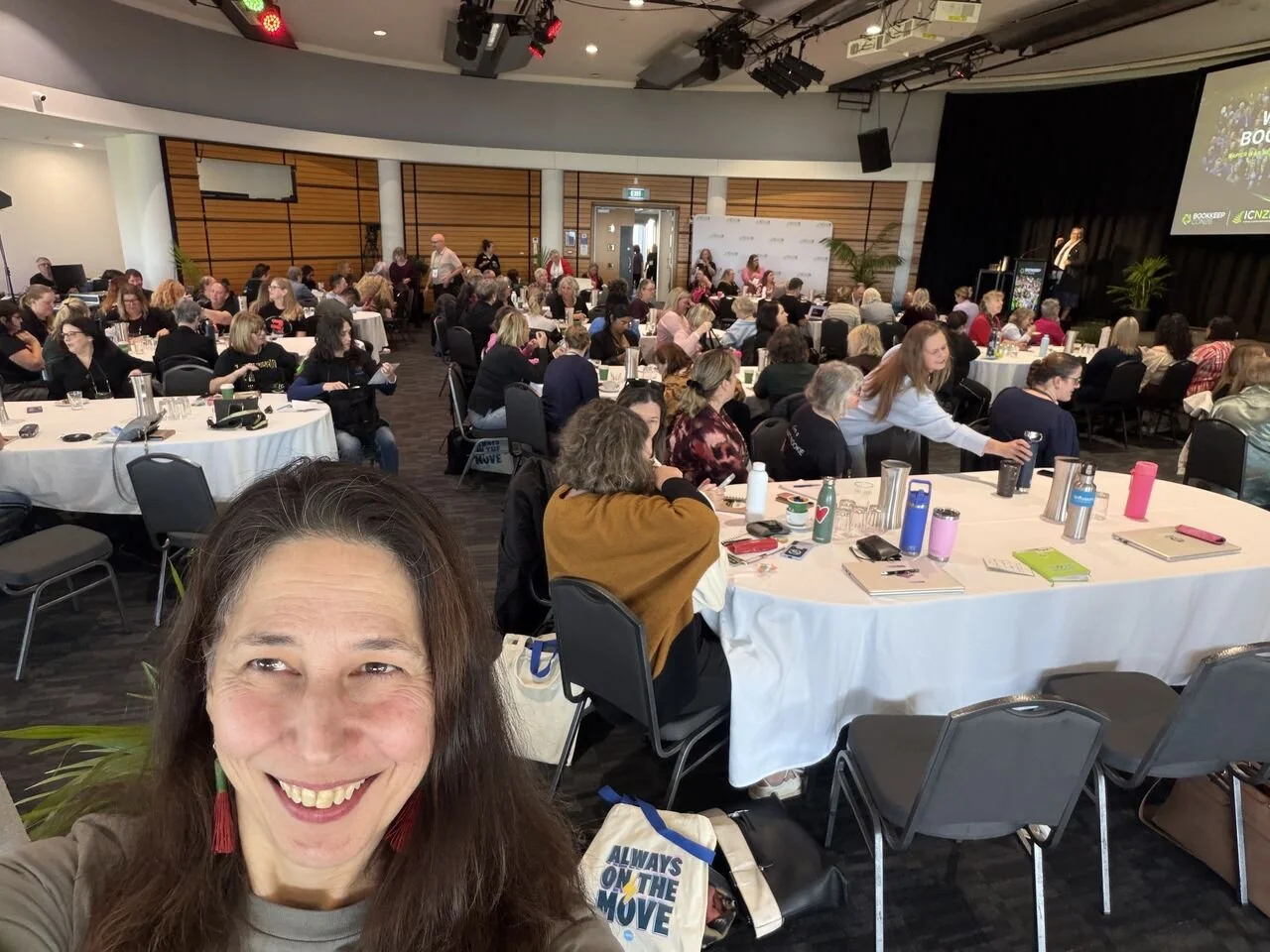
Three conferences: NZQBA, ATAINZ & BookkeepCon (ICNZB) selfie
AI has stopped being hype. I came away inspired, so I decided to find out how much it is really being used. For this blog I interviewed six accountants and bookkeepers who use AI every day, and two people who build software with it. I asked what they use it for, what is going right, what has gone wrong, and what is stopping them going further. I learnt SO MUCH from these conversations that it is really too much for this one blog. I can feel a big change is coming for the sector, so more blogs are coming - but for today we will cover:
What AI is being used for, with six examples you could copy.
What to focus on to move forward with AI.
How are practices using AI right now?
Every practice I spoke to uses AI daily, and most have given theirs a name (a bit like people name their sourdough starters). I met Chatty, Piper, Claudette, Sparky and Jill. When I asked Andrew Palmer of Eden Palmer Prewett what he uses AI for, he had one word: "Everything." But there is a line almost none of them has crossed. They use outside AI assistants alongside their accounting software’s built-in AI tools, but almost none have connected the two.
Only one person I spoke to had connected an outside AI assistant to client accounting data, and even then it goes through a practice tool rather than directly into the client's file.
And it is now possible to go that next step using a thing called an MCP connection. MCP stands for Model Context Protocol. It is the technology that lets an AI assistant (e.g. Claude or ChatGPT) connect to your software, read from it, and sometimes act in it, using your own login. Several of the practices have connected AI to their own email, calendar or books. One has connected Claude via MCP to another practice tool that links into her clients’ files.
David Morrison from COUNT (an accounting platform built with AI embedded natively) sees the same thing when he asks a room for a show of hands. Most people use a chat window to answer questions and work on documents. He told me:
“They're just kind of playing at the edges of how work gets done. They’re not changing how work gets done.”
So practices today are still working at the edges, but they are already making worthwhile gains there, and there are more to come.
What is AI doing for them?
Here are six examples of what is happening now. Each one is something you could try in your own business.
1. Checking the data going in
Rachel Paterson of Conduit Business Solutions has a client whose work is recorded on hundreds of handwritten dockets. Keying them into a spreadsheet took about ten hours of paid data entry, plus her own checking.
So, she gave ChatGPT the scans and her spreadsheet layout, and told it to fill the sheet and flag any handwriting it could not read. Then she asked it to recheck the batch that had been entered by hand. It found 12 errors across 325 dockets, totalling just over $50,000!

Client gives you a pile of paper receipts - AI can help!
2. Reviewing what goes out
Two practices described getting AI to review finished work before it leaves their hands.
Before the partner sees it. At Eden Palmer Prewett, staff run every set of accounts through the firm's own AI reviewer tool built in ChatGPT before it reaches a partner. It checks that figures agree wherever they appear and raises the obvious questions. Another one reviews GST ledgers line by line.
"It can do thousands of transactions where if it was one of us, we'd be scanning through and not really looking at that kind of detail," Andrew says. He thinks the firm's work is better for it:
"It's picking up stuff that... I know we've missed."
Before it goes to the client. Janine Gartner of Tax Agent 99 does the work and the review the usual way. Then the finished accounts go to ChatGPT with one question.
"I'm using it as that final step to go: what have I missed within my review?" It picks up formatting slips, grammar and the things an eye skips over.
"I would never have picked all of that up."
AI made it faster, or caught what they missed. AI checked what went in and what went out, and a person still did the work in between.
3. A month-end report in seven minutes
Amanda Chisholm, founder of My Smart Office, has a month-end report to produce, so she built a skill for it in Claude. (A skill is a saved set of instructions for a job you repeat.) It reads the tracking codes in her own Xero account, pulls the report and drafts the email. She checks the numbers.
"Seven minutes, it took me this time," she says. It used to take 30 to 40 minutes (if nobody interrupted).
4. An inbox that sorts itself
Someone’s Gmail, yesterday.
Mel Weston of Virtual Mel uses Fyxer AI, which tags every email as it arrives: needs a reply, for information, marketing, waiting on someone. Anything that needs a reply already has a draft waiting. After nearly two years, the drafts need almost no editing.
Before, she says, "the day's gone and it's like, well, I actually haven't done any work. I've just lived in my inbox."
5. Meetings that become actions, walkthroughs that become procedures
Lisa Martin of GoFi8ure records client meetings, then asks ChatGPT for minutes with an owner and a due date against every action.
"You can't run a meeting and think strategically if you're too busy taking down minutes."
She does something similar when she trains a client. She talks through the steps on screen, and the recording becomes a written procedure they can keep.
6. Tools for technical tasks
Eden Palmer Prewett has developed AI-powered tools that enhance the quality, depth and value of financial forecasting and business valuations. These tools enable more sophisticated scenario modelling, deeper financial analysis and greater insight to support business valuations and decisions - work that typically only a Big 4 or mid-tier firm had the resources to do before.
Andrew is also exploring opportunities to make the firm's valuation tool, ValuBridge, available to other accounting practices (contact EPPL to find out more).
Importantly, Andrew notes, AI supports, rather than replaces, professional expertise. All outputs are reviewed and validated by experienced accountants, combining the analytical capabilities of AI with sound professional judgement.
What to focus on to move forward with AI
1. Determine how to use AI safely
Everyone interviewed had put steps in place to use AI in a way that they felt was safe for their practice and stakeholders.
Kayur Patel's advice at the ATAINZ conference was firstly to always use a paid version and turn training off before you use an AI platform. Then let AI do your most repeatable processes so you can spend your time reviewing the part that needs your judgement.
Mel removes client names before putting client information into a chat tool, even on a paid plan with training switched off. Where her AI does reach client data, it is through an approved MCP connection that she controls. She also learned on a course that a web page can carry hidden instructions aimed at a browsing AI. "It terrified me." Now her AI can only visit approved websites.
You should also be careful about giving your AI access your electronic files. Kayur's presentation came with a warning - do not connect AI to your files until the files are in the right place.
Some of those I interviewed are early adopters, keen to try new technology. If that isn't you, start with some research. Here are a few links to NZ government advice for businesses on the use of AI:
Finally, you should be aware of the privacy and confidentiality implications of AI - particularly the training of AI models using entered data. That can include how and where you use it, and how you protect personal and commercially sensitive information.
Decide on an AI plan that is safe for your business, safe for your clients, and will let you and your staff feel comfortable and confident in your practice's use of AI.
2. Check the results and build trust
I asked, can you trust what AI gives you. The answer: mostly - but you still need to check everything. Nobody I interviewed trusts AI to finish the job, and the same number kept coming up: about 80%.
Rachel says,
"AI often gets you about 80% of the way there. You still need to check the detail and apply your own judgement before using the result."
Andrew says the client letters his AI reviewer drafts are about 80% there before he edits them. Tim, an IT expert who has spent two years building tools on top of AI, says it gets about 90% right and he fine-tunes the rest.
For example, Rachel once followed AI's instructions to fix something in a client's file. "It had given me advice which I thought sounded logical at the time, but it actually wasn't." It was caught at year-end, and she says she should have questioned it more.
Her rule is simple: "You have to review it. You have to check it and apply your own judgement to it."
This is why your experience still matters. The checking only works if you know what right looks like. Tim compares AI to a bright graduate who knows a lot but cannot yet apply it well. Or as Rachel says, "You've still got to know your debits and your credits."
When I asked Andrew if there was anything he wouldn't give to AI, he answered:
"Anything that I would be uncomfortable giving a staff member to do, I would probably be uncomfortable giving [AI] to do. There's certain things that just because I'm an accountant and control freak, I want to do."
So, the work does not disappear. You do less of the doing and more of the checking. As David put it, "You can get through work quicker, but the amount of oversight you're doing will increase as well."
Be aware that AI can sound confident even when it is wrong. Rachel has had it insist it could do things it could not. Her clients now arrive with answers from a chatbot and ask if they are right. Her reply: "Technically, yes. However, no because of XYZ." Her point is that an answer can be technically correct but still unsuitable for that client's circumstances.
When AI does get it wrong, and it will, Tim's advice is to ask it why it did what it did and to explain its reasoning, then work with it to solve the problem. AI responds well to your guidance.
Trust comes from having a way to check. The practices getting the most from AI review its work as a matter of routine, the same way they would review a junior's work. Janine tells her team to use it "as a tool and a resource, but don't apply it as a rule".
3. Ensure your terms of engagement cover AI
Only one of the six has AI in their engagement terms. "Of course I do," Mel told me. "I've had it for a long time." She tells every client at onboarding which tools she will connect, and says anyone who works with her knows she uses AI.
For others it is on the list. Janine and Amanda both gave their terms as a reason they will not connect AI to client files yet.
Lisa experienced firsthand how differently clients can perceive the use of AI. After receiving a financial commentary prepared with AI assistance, a client questioned its use, despite the underlying accounting and tax work having been prepared and reviewed by qualified members of her team. AI had been used to help communicate what the financial results meant, not to replace professional judgement.
For Lisa, the experience highlighted an important distinction: using AI to assist with communicating professional advice is not the same as delegating responsibility for that advice. It also reinforced the importance of being transparent with clients about how AI is used, and ensuring engagement terms clearly address its use. When Lisa raised the issue with Kayur Patel at ATAINZ, his recommendation was to address AI use explicitly in the firm's terms and conditions or engagement letters.
"AI may help us explain the numbers, but professional judgement, accountability and the client relationship remain firmly with the accountant," Lisa says.
Does everyone agree that clients need telling? No. "I don't tell them I'm using Excel," Andrew says, and he has a point, especially since AI is one of many tools that touch client data and he always does the final checks before work goes out. But he also says his firm is "in the trust business", and a few lines in your T&Cs are a cheap way to protect that trust.

Can 2Shakes help? Yes, we can. In 2Shakes, go to Business Profile > Terms & Conditions to update what is sent to clients when they sign an agreement. When you renew your engagement letters, your existing clients will sign the updated terms.
While you are updating your engagement letter you should also consider how you charge. With AI adoption comes efficiency. If you're not already doing this, it is time to consider charging for value or fixed-price packages.
Mel's packages are fixed price, "so it's irrelevant whether we get it done in 10 minutes or if it takes 3 hours". Andrew's firm prices on value: "We don't go by the clock anyway."
If you bill by the hour, faster work means a smaller invoice. Now is a good time to think about that.
4. Make time to start
Nearly everything Mel has not set up yet comes down to "that thing called time". Janine left ATAINZ wanting a full day of training: "Who's going to start training us on how to use AI? We need more of that."
You do NOT need to do it all at once. Amanda's view is that "people just have to get comfortable with it", and that the best way is to learn to do it yourself. Tim's advice is "small steps" - do one thing, fix it, then build on it.
Here are four small steps you could try this week on your paid (non-training) AI:
Take a finished piece of work, remove the client's name, and ask AI what you have missed.
Record your next client meeting (with their permission) and ask your AI for minutes with an owner and a date against each action.
Talk through a job you do every month while you do it, and turn the recording into a written procedure using your AI.
Read your engagement terms and see whether they say anything about AI.
Then check everything it gives you. Rachel summed it up well:
"I don't think it's whether you use it or you don't use it. It's just how to use it better."
Making time to start will pay off, like when Lisa turns a walkthrough into a procedure, and Amanda turns a repeat job into a skill.
Kayur also suggested making time to give your AI feedback, so it can learn to improve - just like any other member of your staff. He blocks out time weekly for AI feedback and coaching.
5. Explore how you might connect AI to client data
"If I give Jill access, I'm giving access to my whole practice," Janine says of her AI. This is a sensible instinct. You are getting to know a new tool - you have had a few dates, but you are not married yet!
There are also good answers to these worries. A connection can be limited to reading, so it changes nothing. It works through your own login, so it can only see what you can see. And you decide what it may do without asking.
Amanda's rule for her own setup is a good model:
"My instructions are never send anything on my behalf. Everything's got to be checked."
Connected AI is where the sector is heading. 2Shakes is working on this too. Stay tuned as we cover how you can be ready before you need to be.
What's coming next
Our next blogs will cover:
AI in your engagement agreement: What AI means for your engagement letter. What you should add to your T&Cs, what AI means for pricing, and how to automate renewals. We'll also look at AI in your Privacy Policy.
Your first hour with AI: How to review AI's work, ways to make its work match your style, and how to turn your procedures into instructions AI can follow. We'll cover some settings worth changing, a project and a repeatable job.
Getting ready for MCP and connected AI: How to explore MCP connections to client accounting software to safely deliver outstanding service. What a connector can see, how to limit it, and what to ask your software providers.
Final reflections
There are bigger questions with AI we have not tried to answer here. Several people worried about how juniors will learn the job if AI does the junior work, and what it means for those at intermediate level. Nobody had a full answer, and those questions deserve a blog of their own. But what I took away from all of these conversations is that none of this is about replacing anyone. As Janine put it,
"People still want to do business with people."
AI is giving the people I spoke to more time for exactly that.

A big thank you to the following amazing people for their time:
We hope you found this useful. If there is a blog you would like sooner, or something holding you back that we have missed, please contact support@2shakes.co.nz and let us know.